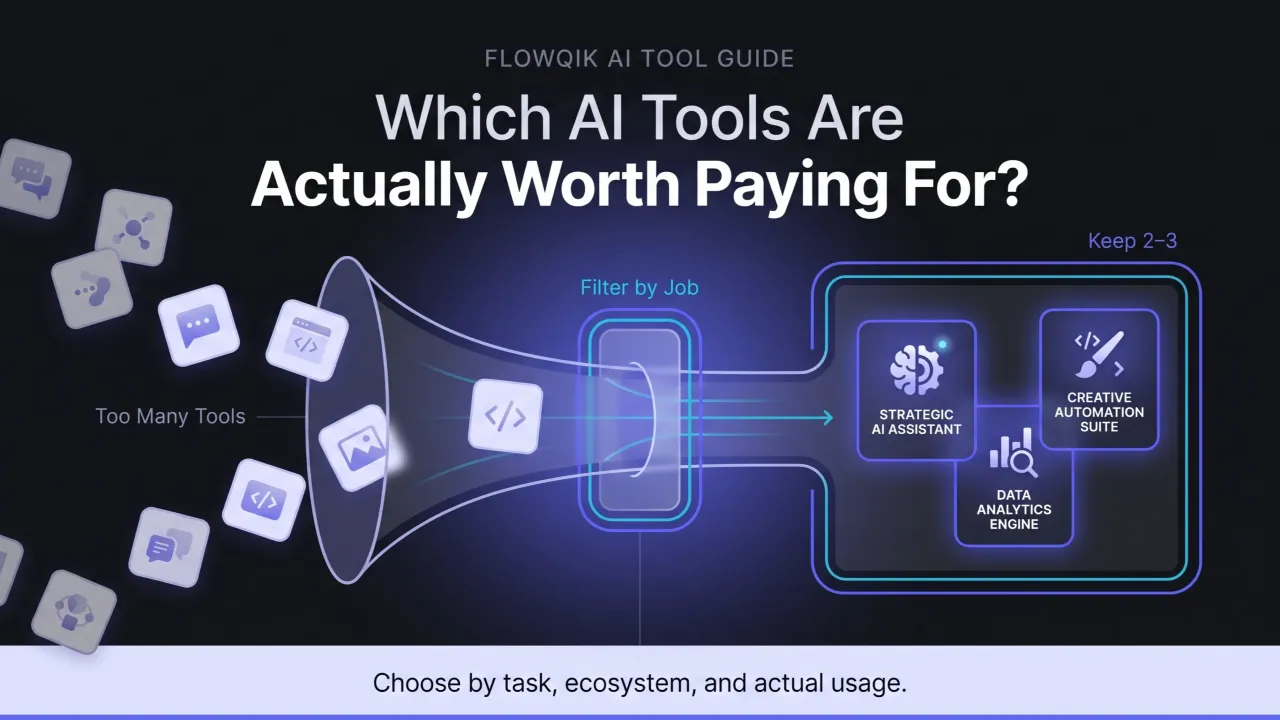
There are now more AI tools than any person can reasonably evaluate, and most lists make that problem worse rather than better. You open an article promising the best AI tools, you get forty product names with two sentences each, and you close the tab knowing less about what to actually buy than when you started.
This guide takes a different approach. Instead of cataloging everything, it explains the four layers of AI tooling that most roundups blur together, gives you a small curated set of tools worth considering in each one, and tells you what each is genuinely good for and where it will frustrate you. The goal is that you finish with a shortlist of two or three tools, not a bookmark folder of thirty.
One note on method. The recommendations here are based on current official documentation, product pages, release notes, and pricing research rather than hands-on testing by FlowQik. Where availability depends on your plan, region, or account type, that is called out rather than smoothed over.
Why Most "Best AI Tools" Lists Do Not Help You Decide
The standard roundup fails in three specific ways, and recognizing them will make you a better reader of every list you encounter, including this one.
The first failure is mixing categories. A single list will put a foundation model, a chat product, a code editor, and a meeting recorder side by side as if they are competing purchases. They are not. Choosing between ChatGPT and a note-taking app is not a decision anyone actually faces, and presenting them as ranked alternatives implies a comparison that does not exist.
The second failure is ignoring what you already pay for. Many of the AI features people go shopping for are already sitting inside subscriptions their company holds. Google has moved Gemini features into Google Workspace Business and Enterprise plans rather than selling them as a separate add-on, which means a large number of Workspace customers already have AI included in a bill they are paying regardless. Buying a separate assistant before checking that is a common and expensive mistake.
The third failure is treating the model and the product as the same thing. The question "which AI is smartest" and the question "which tool should I buy" have drifted far enough apart that answering the first tells you very little about the second. A tool built on an excellent model can still be the wrong purchase because of its billing model, its integration gaps, or its regional limits.
Fixing all three starts with a clearer map of what is actually on the market.
The Four Layers Of AI Tooling
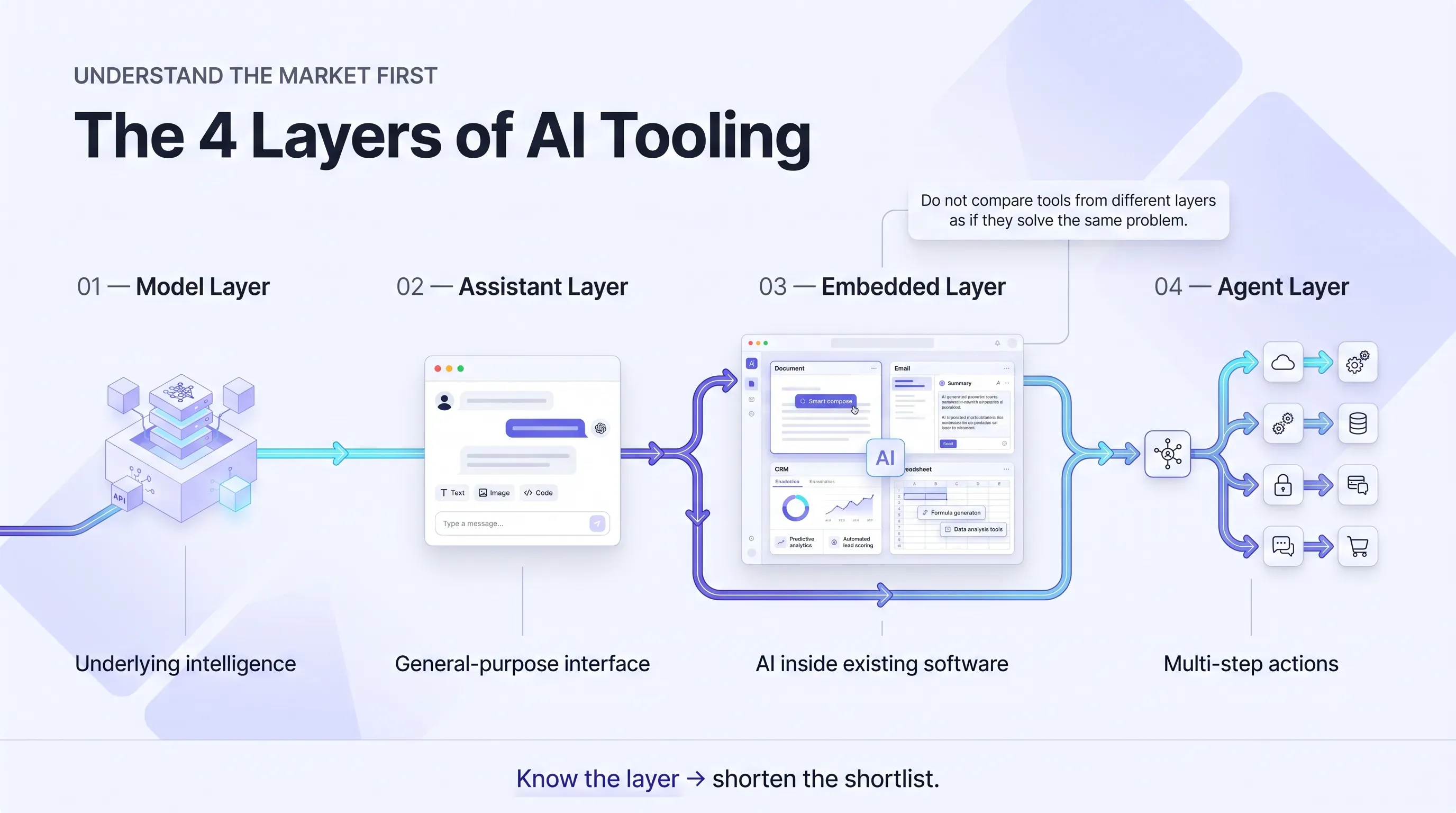
Almost every AI purchase decision sits in one of four layers. Once you know which layer your problem lives in, the shortlist gets short quickly.
The Model Layer
This is the underlying intelligence: the systems that vendors train and version. As of August 2026, Anthropic's lineup runs Haiku 4.5, Sonnet 5, Opus 5, and Fable 5 above them, with a further Mythos-class model restricted to approved organizations. OpenAI runs the GPT-5.6 family, made generally available on July 9, 2026, split into Sol as the flagship, Terra in the middle, and Luna as the fast, low-cost option. Google runs the Gemini 3 line.
You rarely buy at this layer unless you are a developer working with an API. What matters for everyone else is that the model layer moves constantly, and that movement has consequences. OpenAI retired its entire GPT-4 series and o-series from ChatGPT during 2026, with older models sunset on published schedules. If you build a habit, a prompt library, or a workflow around one specific model, expect to rebuild it. This is the strongest argument against getting attached to any single vendor's current benchmark lead.
The Assistant Product Layer
This is what most people mean when they say AI tool: a chat interface with file uploads, web access, memory, image handling, voice, and a growing set of built-in capabilities. ChatGPT, Claude, Gemini, and Perplexity all live here. This is where individual buyers spend most of their money and where the genuine competition sits.
The Embedded Layer
This is AI inside software you already use. Gemini inside Gmail, Docs, and Sheets. Copilot inside Microsoft 365. Increasingly, an AI feature inside your CRM, your help desk, your design tool, and your project tracker. The defining characteristic is that you are usually not making a separate purchase decision, and often not even a separate login.
The embedded layer is the one buyers most consistently underestimate, because there is no marketing campaign pointed at you for something already bundled into a plan you have.
The Agent Layer
This is the newest and least settled layer: software that takes multi-step actions on your behalf rather than answering questions. Through 2026 every major vendor shipped something here, including agentic coworker products from Microsoft, OpenAI, and Anthropic, and browser agents that can navigate sites and fill forms.
Treat this layer with more care than the other three. Capability varies enormously by plan, several agent features are geographically restricted (Google's Gemini Agent, for example, is documented as available in the US in English only), and the security implications are different in kind from the rest. An assistant that summarizes a page and an agent that can send an email on your behalf are not the same product category, even when they ship in the same app.
Two practical consequences follow from this map. First, if you are hoping one all-in-one AI tool will cover everything, the honest answer is that a good assistant covers the general layer well, but coding, meetings, and agentic work still tend to want purpose-built tools. Second, layers two and three overlap more every quarter, which is exactly why checking your existing subscriptions before buying has become the highest-value first step.
How The Tools Below Were Selected
The list is deliberately short. Inclusion required four things: the tool is a current, actively maintained product rather than a recent launch with momentum and nothing else; it has a clearly identifiable best-fit user rather than being generically good; its pricing structure is transparent enough to reason about; and it has at least one limitation worth knowing before you commit.
Every entry gives you the same three things: what it is best suited for, who it fits, and one meaningful tradeoff. There is no ranking and no overall winner, because the question "which AI tool is best" has no answer that survives contact with a specific person's actual work.
Prices are handled lightly here on purpose. Vendor pricing moved repeatedly through 2026, and secondary sources currently disagree with each other on the exact figures for several major products. The pattern worth knowing is that the standard paid consumer tier from the major assistant vendors has clustered in a similar range, with cheaper entry tiers and much more expensive high-usage tiers on either side of it. That is a current market observation rather than a rule, and it has already shifted more than once. Check the vendor's own pricing page before you buy, and check it again before you renew.
The Best AI Tools By Job
General Assistants
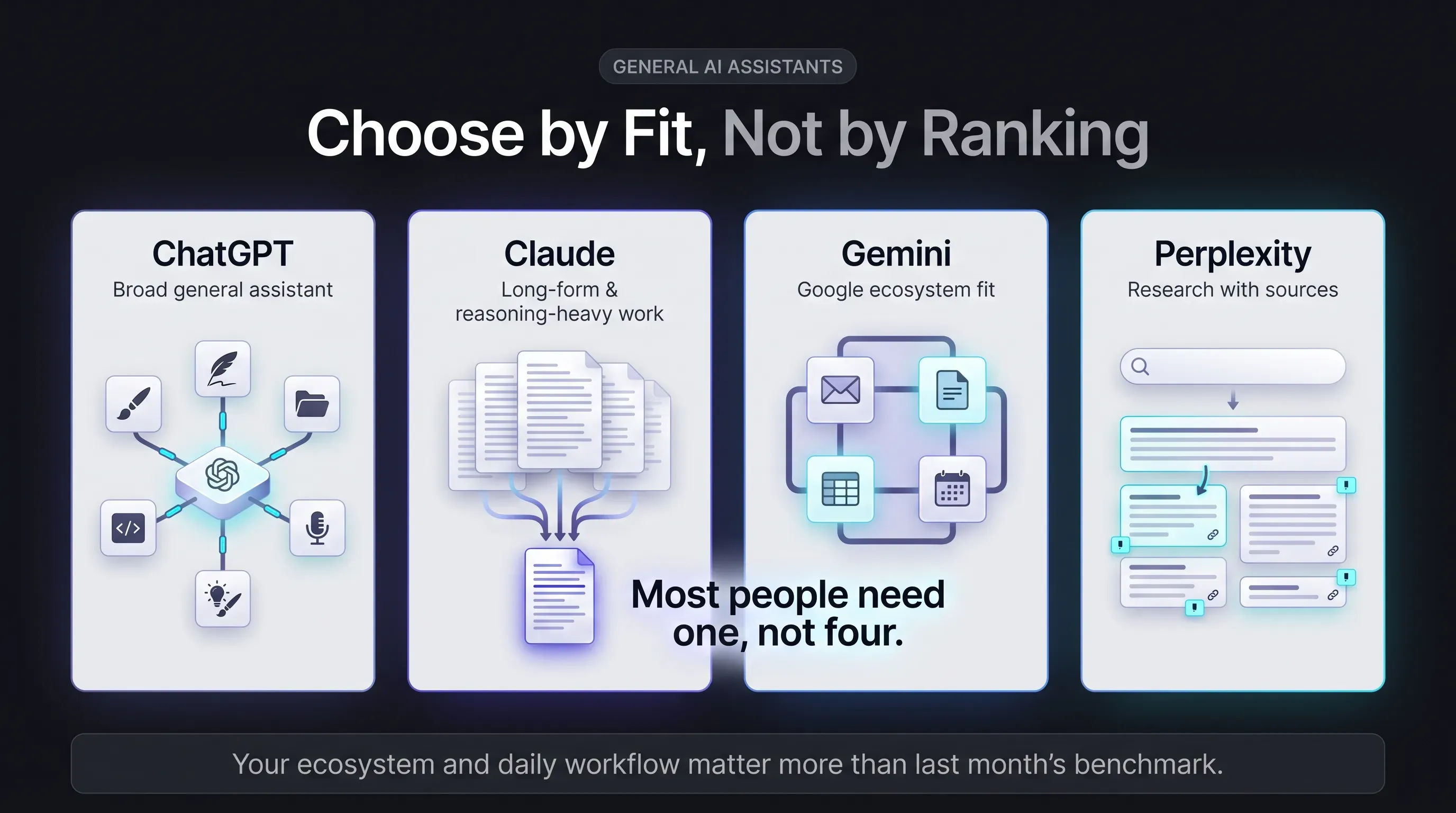
ChatGPT is the broadest general assistant, and the strongest fit if you want one tool that does a bit of everything: writing, analysis, images, voice, file handling, scheduled tasks, and coding through Codex. It suits people who would rather have a single capable app than assemble a stack.
The tradeoff is churn. OpenAI has shipped and retired models at a fast pace, folded previously separate options into a single model with a reasoning slider, and changed what is available on which plan more than once. Features also differ meaningfully between consumer, Business, Enterprise, and Edu workspaces, so what a colleague can do in ChatGPT is not proof that you can do it on your plan.
Claude is the better fit for long-document work, careful writing, and reasoning-heavy tasks, along with agentic work through Claude Code and Cowork. It suits writers, analysts, consultants, and developers who care more about output quality on hard tasks than about breadth of built-in features.
The tradeoff is access to the top of the lineup. Anthropic's most capable models sit above the standard paid tier, and availability of the frontier model varies by plan, so the Claude a Pro subscriber uses is not always the Claude being benchmarked in the coverage that sold them on it. Anthropic also does not publish precise message limits for its consumer plans, which makes usage harder to predict than an explicitly numbered cap.
Gemini is the obvious first candidate if your work already lives in Google. It suits Workspace and Android users, and anyone who wants AI showing up inside Gmail, Docs, and Sheets rather than in a separate tab.
The tradeoff is uneven availability. Google's consumer AI plans are sold in over 150 countries, but individual features are not, and several of the more interesting capabilities carry US-only or English-only restrictions. Google has also reorganized its AI plan names and Workspace add-on structure more than once, which makes older comparison articles unreliable quickly.
Perplexity is built around search-grounded answers with inline citations, which makes it the most natural fit when your question is about current facts rather than open-ended thinking. It suits anyone who checks sources habitually.
The tradeoff is that the generous-sounding allowances have limits underneath them. Heavier research features carry daily or weekly caps, file uploads are capped, and the more autonomous browser-agent capability is gated by plan rather than included everywhere. The free browser is genuinely free; the feature that makes it agentic is not.
A reasonable way to read those four: most people need one of them, not all four, and the deciding factor is usually which ecosystem you already work inside rather than which scored higher on a benchmark last month.
Writing And Creation
The major assistants above cover ordinary writing well enough that a separate writing tool is rarely the first purchase. Where dedicated tools earn their place is in image, video, audio, and design work, where output format and control matter more than raw text quality. That is a large category with its own selection logic and its own tradeoffs around licensing, rendering time, and output rights, and it deserves more room than a pillar page can give it.
Coding
Cursor, Claude Code, GitHub Copilot, and OpenAI Codex are the main options, and they split roughly by working style. Cursor is an AI-native editor for people who want the assistant inside their IDE. Claude Code and Codex follow a command-line agent pattern, reading a project and executing changes directly. Copilot is the safest default for teams already standardized on GitHub.
The tradeoff across this whole category is billing, and it deserves more attention than feature comparisons get. Several of these tools moved to credit-based or usage-based billing during 2025 and 2026, which means the subscription price is a floor rather than a total. Developers who switch to frontier models by default burn through allowances faster than the plan implies. Before committing a team, model your actual monthly cost at realistic usage rather than at the headline price, and check whether the vendor has changed its billing structure recently, because several have.
Meetings And Notes
Meeting assistants that join calls, transcribe, and produce summaries and action items are among the easiest AI purchases to justify, because the before-and-after is obvious and the output is checkable. Granola, Otter, and Fireflies are the commonly shortlisted options, and Google and Microsoft both include meeting note features in their own stacks, which is another reason to check the embedded layer first.
The tradeoff here is not quality, it is consent and retention. Recording assistants raise real questions about who is being recorded, where transcripts are stored, how long they are kept, and whether that satisfies your industry's rules. Sort that out before rollout rather than after, particularly if you take client calls.
Automation And Agents
At some point most people evaluating AI tools discover that their real problem is not a lack of intelligence but a lack of connection between systems. That is the automation category, and it is a genuinely different purchase with different evaluation criteria: reliability, error handling, maintenance burden, and what happens when a workflow fails at two in the morning.
What You Probably Already Have
Before you buy anything, spend twenty minutes auditing what your existing subscriptions already include. This is the single highest-return step in the entire process and almost nobody does it.
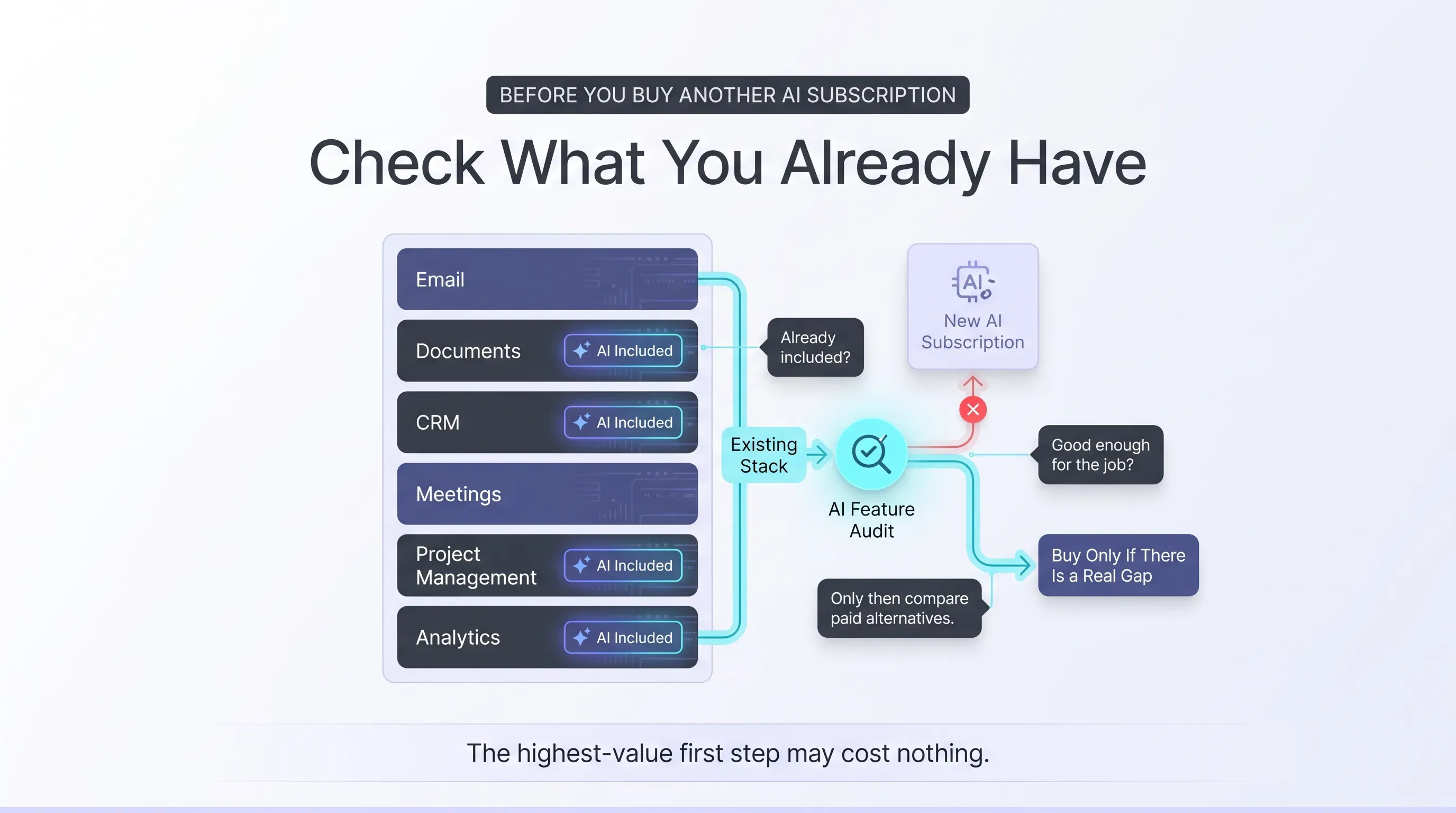
If your organization is on Google Workspace Business or Enterprise, Gemini capabilities are now included in those plans rather than sold separately, with an add-on available for higher usage limits if your team actually hits the ceilings. Most teams using AI to draft emails and summarize meetings will not hit standard limits at all, which means the add-on is a purchase for genuine power users rather than a default upgrade. Microsoft 365 customers should check their Copilot entitlements the same way.
Then look wider. Your CRM, help desk, design tool, project tracker, and analytics platform have all likely shipped AI features in the last two years, and you are already paying for them. Some of those features are weak. Some are better than a general assistant for that specific job, because they can see your data without you pasting it anywhere.
The point is not that embedded AI is always the better choice. It is that you cannot make a sound buying decision without knowing your actual starting position, and most people are shopping as though it were zero.
A Decision Path For Choosing Your First Two Or Three Tools
Here is a sequence that produces a defensible answer rather than a long list.
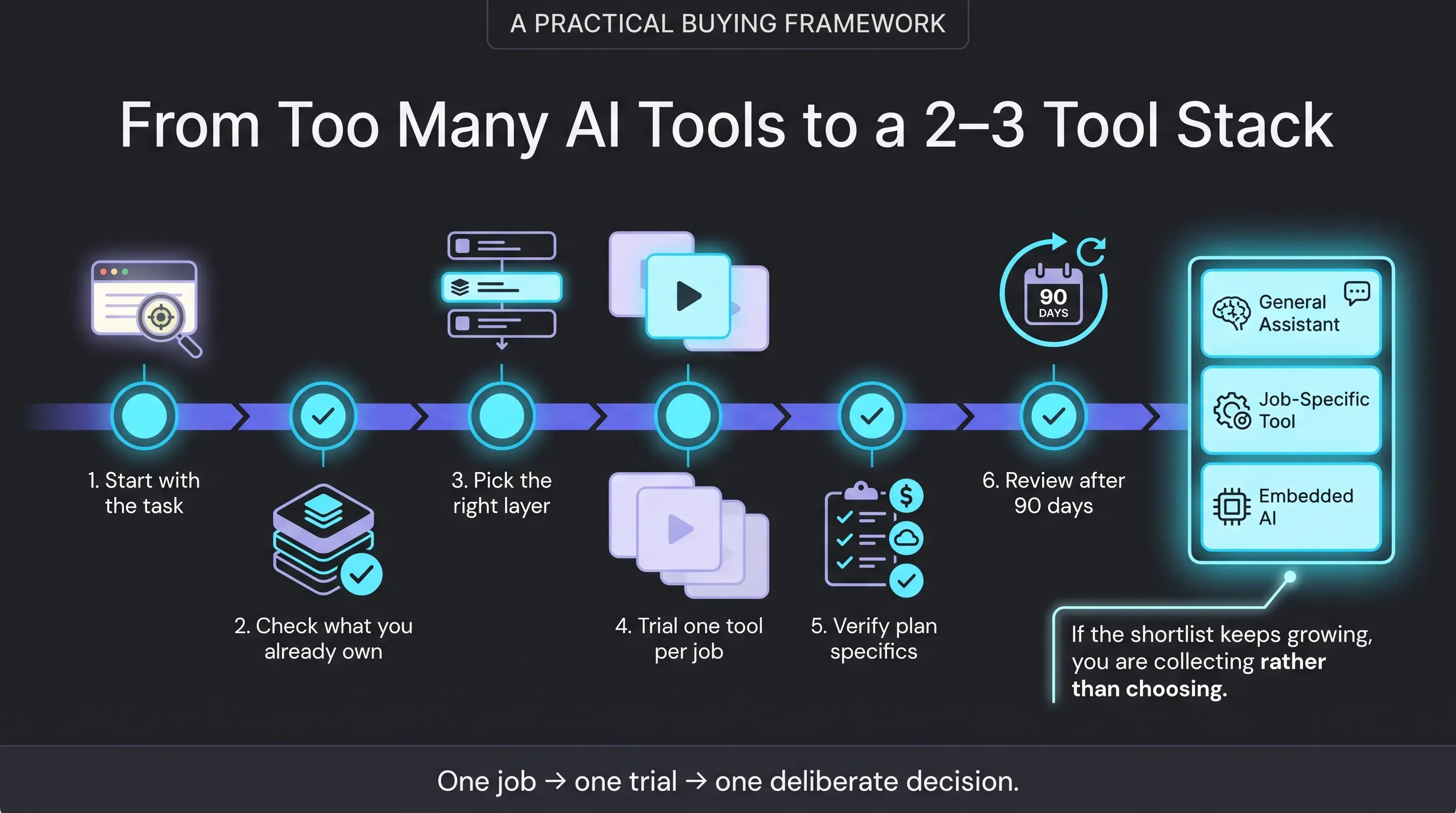
- Start with the task, not the tool. Identify the single task consuming the most of your time this week that involves reading, writing, summarizing, or searching. That task, not a product category, is what you are shopping for.
- Check what you already own. Audit your current subscriptions for AI features that address it. If something adequate is already included, use it for a month before spending anything.
- Pick the layer. General thinking and writing points to the assistant layer. Work inside documents and email points to the embedded layer. Code points to a dedicated coding tool. Multi-step actions across apps point to automation, which is a separate evaluation.
- Trial one tool per job, not one per category. Running three assistants in parallel produces comparison paralysis and three subscriptions. Pick the one whose ecosystem matches yours and give it a real month of daily work.
- Verify the specifics on your own plan. Confirm pricing, usage limits, and regional availability on the vendor's page for the plan and country you are actually buying, not from a comparison article.
- Set a review date. Put a calendar reminder ninety days out to check whether you are using it, whether the price changed, and whether your allowance still fits your usage.
Two or three tools is a realistic destination for most individuals: one general assistant, one job-specific tool if your work has an obvious specialty, and whatever is already embedded in your existing stack. If your shortlist has grown past that, you are collecting rather than choosing.
Who Should Not Buy Anything Yet
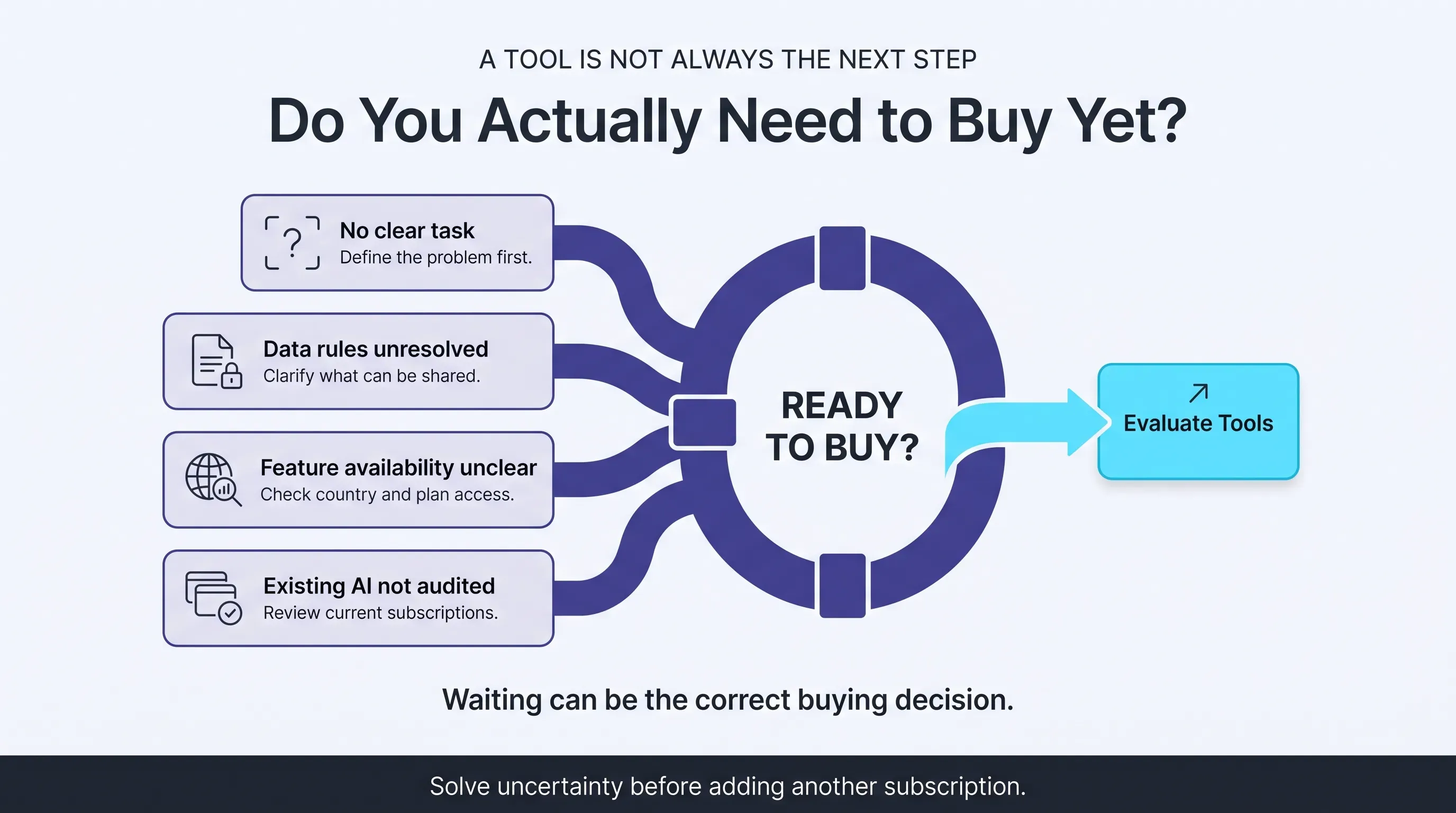
A few readers are better served by waiting, and no roundup ever says so.
If you cannot name the specific task you want help with, a subscription will not find one for you. If your organization has unresolved questions about what data may be sent to third-party AI services, resolve those first, because rolling back an unofficial tool that a team already depends on is much harder than delaying it. If the feature you are actually excited about is agentic, check whether it is available in your country and on the plan you would buy, since that is where the gap between marketing and availability is currently widest. And if you are on Workspace or Microsoft 365 and have not checked what is already included, do that before spending anything at all.
Discussion
Comments
No approved comments yet. Be the first to join the discussion.